How to Check RERA Registration: Complete State-by-State Guide (2026)
Step-by-step guide to verify if a project is RERA registered — covering UP RERA, MahaRERA, Haryana RERA, Karnataka RERA, and all major state authorities with direct links.
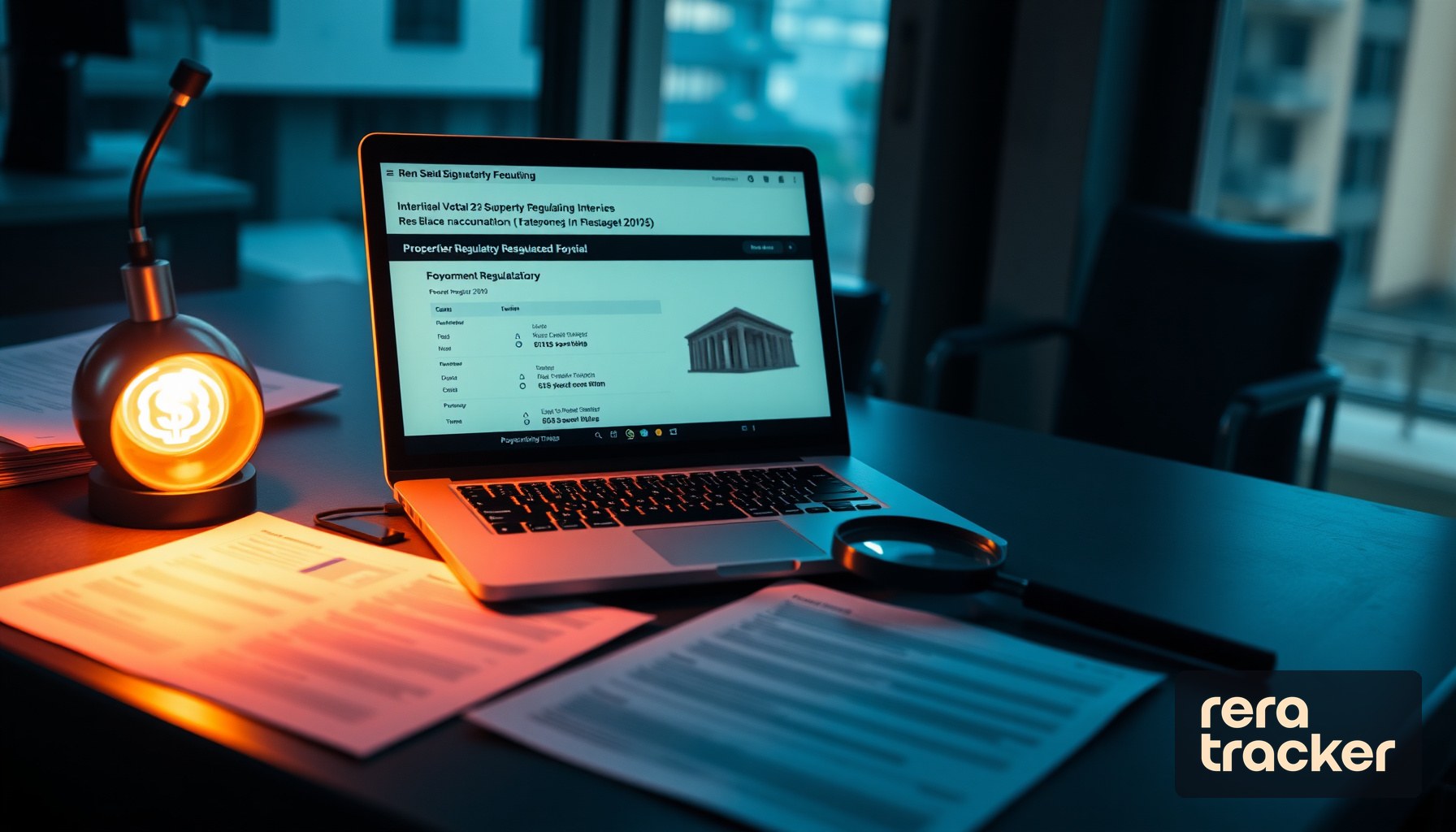
Buying a home is likely the largest financial decision you will ever make. In India, the Real Estate (Regulation and Development) Act, 2016, requires most residential and commercial projects to be registered with the state RERA authority before any sale or advertisement. That registration is your first line of defense against fraud, delayed possession, and vanishing builders.
Yet a surprising number of buyers skip this basic check. Some trust the glossy brochure. Others assume the broker has “verified everything.” The result is predictable: thousands of complaints filed every year for projects that were either unregistered or operating with expired registrations.
This guide walks you through how to check RERA registration for any project in India, state by state, so you can make an informed purchase backed by verifiable data rather than salesmanship.
Why Verifying RERA Registration Is Non-Negotiable
A valid RERA registration means the project has been reviewed by a regulatory body. It means the developer has submitted architectural plans, land title documents, a projected completion timeline, and financial details. It means 70% of buyer funds must go into a dedicated escrow account. Without that registration, you have no regulatory recourse if things go wrong.
Here is what a valid RERA registration protects you from:
- Delayed possession with no accountability. RERA-registered projects have a declared completion date. If the developer misses it, you are entitled to compensation or a refund.
- Misleading carpet area claims. Developers must disclose the actual carpet area, not inflated super built-up figures.
- Fund diversion. The escrow account requirement prevents developers from using your money to fund other projects.
- Disappearing builders. RERA tracks developer credentials, past projects, and compliance history.
If a project is not RERA registered, the developer is either operating illegally or the project falls below the registration threshold (fewer than 8 units and less than 500 square meters of land). In either case, your risk profile changes dramatically.
What Information You Need Before You Search
Before visiting any state RERA portal, gather as much of the following as you can:
- RERA registration number. This is the most direct way to look up a project. The format varies by state. For example, Uttar Pradesh uses a format like UPRERAPRJ12345, while Maharashtra uses P52100012345.
- Project name. The official registered name, which may differ slightly from the marketing name used in advertisements.
- Builder or promoter name. The legal entity name of the developer, not just the brand name. For example, “XYZ Realty Pvt Ltd” rather than “XYZ Homes.”
- District or city. Most portals let you filter by location to narrow results.
If you only have the marketing brochure name and the builder’s brand, start there. Most state portals support partial name searches.
How to Check RERA Registration on UP RERA (Uttar Pradesh)
Uttar Pradesh is home to the NCR markets of Noida, Greater Noida, and Ghaziabad, making UP RERA one of the most heavily used state portals. The authority operates at https://www.up-rera.in.
Step-by-step process
- Open the UP RERA portal at https://www.up-rera.in.
- On the homepage, look for the search bar or navigate to the “Projects” section.
- You can search by RERA registration number, project name, or promoter name.
- If searching by project name, enter the name as it appears on official documents. If you are unsure, use a partial name and browse the results.
- Select the relevant district from the dropdown. For NCR buyers, this will typically be Gautam Buddha Nagar (for Noida and Greater Noida) or Ghaziabad.
- Click “Search” to view matching projects.
- Click on the specific project to view its full registration details.
What you will see in the results
The project detail page shows the RERA registration number, validity dates, promoter details, project location, total number of units, carpet area of each unit type, project completion timeline, and the status of quarterly updates filed by the developer.
Pay close attention to the registration expiry date. If the registration has expired and not been renewed, the project may be in regulatory limbo. Also check whether the developer has filed their Quarterly Progress Reports (QPRs) on time, since missed filings can signal financial trouble.
How to Check RERA Registration on Haryana RERA
Haryana RERA covers Gurgaon (Gurugram), Faridabad, and other key NCR markets. The portal is at https://haryanarera.gov.in.
Step-by-step process
- Visit https://haryanarera.gov.in.
- Navigate to the “Registered Projects” section, typically accessible from the main menu or homepage.
- Use the search filters to look up projects by RERA number, project name, promoter name, or district.
- For Gurgaon projects, select the Gurugram district filter.
- Review the list of matching results and click on the relevant project.
- Examine the registration details page for project timelines, unit counts, and promoter information.
Haryana-specific notes
Haryana RERA has been active in penalizing non-compliant developers, particularly in the Gurgaon market where delayed projects have been a longstanding issue. When reviewing a project, check whether any orders or directions have been passed against the developer. The portal sometimes lists enforcement actions alongside registration details.
How to Check RERA Registration on MahaRERA (Maharashtra)
MahaRERA is widely considered the most transparent and well-maintained state RERA portal. It covers Mumbai, Pune, Thane, Navi Mumbai, and the entire state. The portal is at https://maharera.maharashtra.gov.in.
Step-by-step process
- Go to https://maharera.maharashtra.gov.in.
- On the homepage, use the prominent search functionality. MahaRERA allows searching by RERA registration number, project name, or promoter name.
- You can also navigate to the “Registered Projects” section for a more filtered search by district and taluka.
- Enter your search criteria and hit “Search.”
- The results page lists matching projects with their RERA numbers and basic status.
- Click on any project to see its complete registration profile.
What makes MahaRERA stand out
MahaRERA publishes more data than most state portals. The project detail page includes the approved sanctioned plan, a breakdown of units by type, the number of units sold versus unsold, the project’s financial progress, and a compliance scorecard. You can also see whether the developer has been graded under MahaRERA’s grading system, which rates projects on parameters like timeliness of reporting and financial health.
For Pune and Mumbai buyers, check whether the project falls under the deemed conveyance provisions and whether the society formation process has begun for projects nearing completion.
How to Check RERA Registration on Karnataka RERA
Karnataka RERA covers Bangalore and other Karnataka cities. The portal is at https://rera.karnataka.gov.in.
Step-by-step process
- Visit https://rera.karnataka.gov.in.
- Navigate to the “Projects” section from the main menu.
- Search by RERA registration number, project name, or promoter name. You can also filter by district.
- For Bangalore projects, select the Bengaluru Urban district.
- Click on the relevant result to view the project registration details.
- Review the project timeline, promoter details, and registered unit configurations.
Karnataka-specific notes
Karnataka RERA has been actively bringing projects under its purview, including plotted developments that were historically outside regulatory oversight in many states. If you are looking at a plot purchase in Karnataka, verify that the layout has been registered separately from the apartment blocks if the developer is marketing them together.
Quick Reference: State RERA Portals
Here is a reference table for the major state RERA authorities, their portal URLs, and how to find registered projects on each.
| State | RERA Portal | How to Search |
|---|---|---|
| Uttar Pradesh | https://www.up-rera.in | Projects section, search by name, number, or promoter |
| Haryana | https://haryanarera.gov.in | Registered Projects, filter by district and name |
| Maharashtra | https://maharera.maharashtra.gov.in | Homepage search bar or Registered Projects section |
| Karnataka | https://rera.karnataka.gov.in | Projects menu, search by number, name, or district |
| Tamil Nadu | https://www.tnrera.in | Project search on homepage |
| Rajasthan | https://rera.rajasthan.gov.in | Registered Projects section |
| West Bengal | https://www.wbhira.gov.in | HIRA portal, search under Projects |
| Gujarat | https://gujrera.gujarat.gov.in | Search by project or promoter name |
| Telangana | https://rera.telangana.gov.in | Registered Projects, search by district |
| Madhya Pradesh | https://www.rera.mp.gov.in | Project search available on homepage |
| Punjab | https://rera.punjab.gov.in | Registered Projects section |
| Kerala | https://rera.kerala.gov.in | Search by project name or promoter |
| Odisha | https://rera.odisha.gov.in | Project search under Registered Projects |
Each state RERA authority operates its own independent portal with its own search interface, data format, and update frequency. This fragmentation is one of the biggest practical challenges for buyers comparing projects across states or even verifying a single project without knowing which portal to visit.
What to Look for in the RERA Registration Details
Finding a project on the RERA portal is only the first step. You need to read the registration details carefully.
Completion date
Every RERA registration includes a declared completion date. Compare this with what the developer is telling you verbally or in marketing materials. If the RERA-declared date says December 2027 but the brochure says “ready to move in 2026,” something does not add up.
Builder track record
Most state portals show other projects registered by the same promoter. Check whether those projects were completed on time, whether any complaints have been filed, and whether the developer has a pattern of seeking registration extensions.
Quarterly progress reports
Developers are required to file Quarterly Progress Reports (QPRs) with the RERA authority. These reports include construction progress percentages, financial statements, and updated timelines. If QPRs have not been filed for multiple quarters, it is a warning sign. Either the developer is not taking compliance seriously, or there are underlying project issues.
Complaints and orders
Some portals, particularly MahaRERA, publish complaints filed against projects and any orders passed by the authority. Read these. A handful of complaints is normal for large projects, but a pattern of complaints about fund diversion, construction quality, or possession delays is a serious red flag.
Unit configuration and carpet area
Verify that the carpet area listed on the RERA portal matches what the developer is quoting. RERA mandates that all sales must be based on carpet area, and the registered figures are the legally binding ones.
Red Flags: Signs a Project May Not Be Genuinely Compliant
A project appearing on the RERA portal does not automatically mean everything is safe. Here are warning signs to watch for:
- Expired registration. The project was registered but the registration has lapsed. The developer may still be selling units without renewing, which is a violation.
- No QPR filings. Missing quarterly reports suggest the developer is not actively complying with RERA requirements, even if the registration is technically valid.
- Frequent extension requests. If the developer has asked for multiple deadline extensions, the project is likely facing financial or execution problems.
- Mismatch between marketing and registration. The brochure shows 25 floors but the RERA registration is for 18 floors. The advertised amenities include a clubhouse and swimming pool, but the registered plan does not. Any discrepancy between what is marketed and what is registered should be investigated.
- Multiple complaints from buyers. Check the complaint section if available. If dozens of buyers have filed complaints about the same issue, take it seriously.
- Project registered under a different entity. Sometimes developers register the project under a special purpose vehicle (SPV) or subsidiary. This is legally fine, but make sure you understand which entity you are actually contracting with.
- Land dispute flags. If the registration details mention encumbrance issues, ongoing litigation, or unclear title, proceed with extreme caution regardless of the project’s marketing appeal.
How ReraTracker Simplifies the Entire Process
The process outlined above works, but it has real friction. Each state runs its own portal with its own interface, search quirks, and data format. Some portals are slow. Some have search functions that only work with exact name matches. If you are comparing projects across Noida and Gurgaon, you need to visit two separate portals with two different workflows.
ReraTracker exists to solve this problem.
Instead of visiting individual state RERA portals, you can search any RERA-registered project on ReraTracker in a single, unified interface. Whether the project is in Uttar Pradesh, Haryana, Maharashtra, Karnataka, or any other state, ReraTracker aggregates the registration data into one searchable platform.
Here is what ReraTracker gives you that individual state portals do not:
- Unified search across states. Search by project name, builder name, or RERA number without needing to know which state portal to visit.
- Standardized project profiles. Every project is displayed in a consistent format, making it easy to compare projects across different states.
- Builder track record in one view. See all projects by a particular developer across multiple states, not just the ones registered in a single state portal.
- Compliance monitoring. Track whether projects are filing their quarterly reports on time, whether registration renewals are up to date, and whether any regulatory actions have been taken.
- Alerts and updates. Instead of manually revisiting the RERA portal every quarter, ReraTracker can notify you when something changes about a project you are tracking.
For first-time homebuyers, this means you do not need to learn the quirks of each state portal. For investors comparing opportunities across markets, it means a single dashboard instead of a dozen browser tabs. For brokers advising clients, it means faster, more reliable project verification.
The Bottom Line
Checking RERA registration is not optional if you are buying property in India. It is the minimum due diligence that separates informed buyers from those who end up filing complaints years later. The state portals exist and are free to use. The process is straightforward once you know where to look and what to look for.
But if you want to save time and get a clearer picture without navigating multiple government websites, ReraTracker brings all of that data together in one place. Search any project, verify any builder, and track compliance status across every major Indian state, all from a single platform.
Start by searching the project you are considering on ReraTracker. If it is registered and compliant, you have a strong foundation for your purchase. If it is not, you just saved yourself from a potentially catastrophic mistake.
Intelligence beyond boundaries
12,000+ projects tracked. 5,000+ builders verified. RERA-verified data, fair market insights, and premium intelligence.
Explore ProjectsMore on RERA
RERA Approved Projects in Ghaziabad 2026: Verified Guide for Buyers
Complete 2026 guide to RERA-registered projects in Ghaziabad. UPRERA verification, micro-market analysis across Indirapuram, Raj Nagar Extension, NH-24, and more.
RERA Approved Projects in Greater Noida 2026: Verified List & Buyer's Guide
Complete guide to RERA-registered projects in Greater Noida 2026. Verified UPRERA data, micro-market analysis, builder track records, and what to check before buying.
RERA Approved Projects in Lucknow 2026: Complete Buyer's Guide
Discover RERA-registered projects across Lucknow. UPRERA verification guide, micro-market analysis, top localities, and what every buyer must check before investing.
Stay updated on RERA
Get the latest insights on real estate regulations and compliance delivered to your inbox.
No spam. Unsubscribe anytime.